
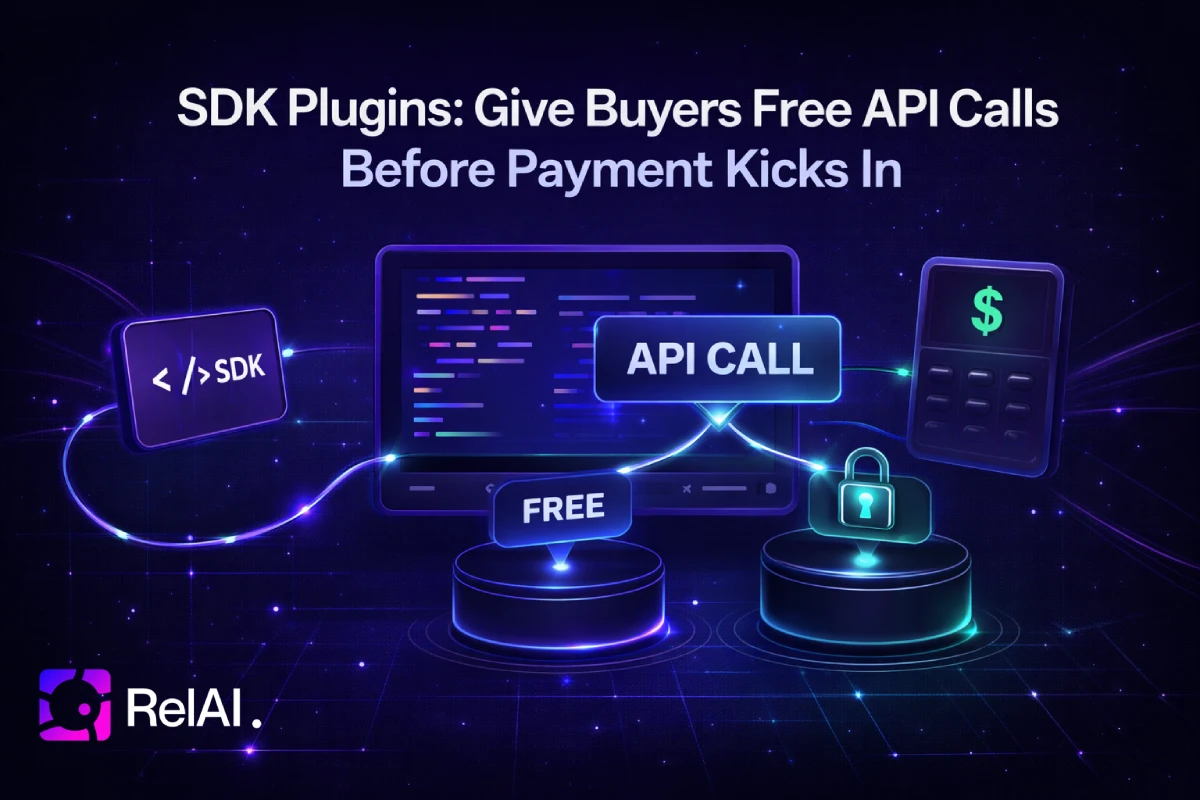
Your API is live, protected by x402, and every call costs money. But new users don't know if the data is worth paying for. You need a way to let them try it first.
The @relai-fi/x402 SDK now has a plugin system. The first built-in plugin — Free Tier — gives every buyer a configurable number of free API calls before payment kicks in. No billing system, no usage database, no extra infrastructure. Three lines of code.
It works in two modes: cloud (with a service key — synced to the RelAI dashboard) or local (no key needed — in-memory tracking with exportable data).
The Problem
Paid-first APIs have a cold start problem. A developer evaluating your endpoint has to connect a wallet, fund it, and sign a payment before seeing a single response. Most won't bother.
Free tiers solve this, but building one means:
- Tracking per-user usage
- Handling reset periods (daily, monthly, lifetime)
- Storing counters somewhere reliable
- Adding middleware that checks counters before your payment layer
Three Lines of Code
import Relai from '@relai-fi/x402/server'
import { freeTier } from '@relai-fi/x402/plugins'

const relai = new Relai({
  network: 'base',
  plugins: [
    freeTier({
      serviceKey: process.env.RELAI_SERVICE_KEY!,
      perBuyerLimit: 5,
      resetPeriod: 'daily',
    }),
  ],
})

app.get('/api/data', relai.protect({
  payTo: '0xYourWallet',
  price: 0.01,
}), (req, res) => {
  if (req.x402Free) {
    console.log('Free call — remaining:', req.pluginMeta?.remaining)
  }
  res.json({ data: 'content' })
})
That's it. The first five calls per buyer per day are free. Call six triggers the normal 402 payment flow.
How It Works
- A request arrives without a payment header.
- The
freeTierplugin calls the RelAI backend to check the buyer's usage. - If the buyer has free calls left → the request skips payment, your handler runs, and the call is recorded.
- If free calls are exhausted → normal 402 Payment Required response.
The plugin resolves buyer identity automatically:
| Priority | Source | Example |
|---|---|---|
| 1 | JWT Bearer token (sub claim) | user:abc123 |
| 2 | X-Wallet-Address header | wallet:0x1234... |
| 3 | IP address fallback | ip:192.168.1.1 |
Configuration Options
freeTier({
  serviceKey: 'sk_live_...',   // Optional — omit for local in-memory mode
  perBuyerLimit: 10,           // Required — free calls per buyer per period
  resetPeriod: 'daily',        // 'none' | 'daily' | 'monthly'
  globalCap: 1000,             // Optional — cap across all buyers
  paths: ['/api/data'],        // Optional — default: '*' (all paths)
})
With a serviceKey, state is stored server-side by RelAI and visible in the dashboard. Without a key, the plugin runs locally in-memory — same logic, but resets on restart.
Local Mode (no service key)
const ft = freeTier({ perBuyerLimit: 10, resetPeriod: 'daily' })

const relai = new Relai({ network: 'base', plugins: [ft] })

// Export usage data at any time
app.get('/admin/usage', (req, res) => {
  res.json(ft.getUsageData()) // { mode: 'local', usage: [...], globalCount, ... }
})
You can check which mode is active via ft.mode ('local' or 'cloud'). In cloud mode, getUsageData() returns null — use the dashboard instead.
Response Headers
Free tier responses include headers so clients know where they stand:
X-Free-Calls-Remaining: 4
X-Free-Calls-Total: 5
Your handler can also check req.x402Free (boolean) and req.pluginMeta (object with remaining, total, buyerId) to differentiate free vs paid calls.
Dashboard Management
The SDK Plugins dashboard lets you:
- View active plugin configurations per service key
- Monitor per-buyer usage in real time
- Reset usage counters (useful for support)
- Update limits, reset periods, and paths — changes take effect immediately
Works Everywhere
The plugin system works with Express, Fastify, Next.js, or any framework that adapts to Express-like middleware. For Next.js App Router:
import Relai from '@relai-fi/x402/server'
import { freeTier } from '@relai-fi/x402/plugins'

const relai = new Relai({
  network: 'base',
  plugins: [
    freeTier({
      serviceKey: process.env.RELAI_SERVICE_KEY!,
      perBuyerLimit: 5,
      resetPeriod: 'daily',
    }),
  ],
})

export async function GET(req: NextRequest) {
  const middleware = relai.protect({ payTo, price: 0.01 })
  // Adapt NextRequest → Express-like req and run middleware
}
Build Your Own Plugins
The plugin system is extensible. Any object implementing RelaiPlugin can hook into beforePaymentCheck (run before 402) and afterSettled (run after payment). Plugins are non-blocking — if one throws, the request falls through to the normal flow.
import type { RelaiPlugin } from '@relai-fi/x402/plugins'

const myPlugin: RelaiPlugin = {
  name: 'my-plugin',
  async beforePaymentCheck(req, ctx) {
    // Return { skip: true } to bypass payment
    return {}
  },
  async afterSettled(req, result, ctx) {
    // Analytics, logging, webhooks
  },
}
Get Started
- Install
@relai-fi/x402@0.5.39or later - Add the
freeTierplugin to yourRelaiinstance (service key optional) - Deploy — your first five callers per day get free access
- Optionally, add a service key to sync usage to the Dashboard
Written by the RelAI Team.