
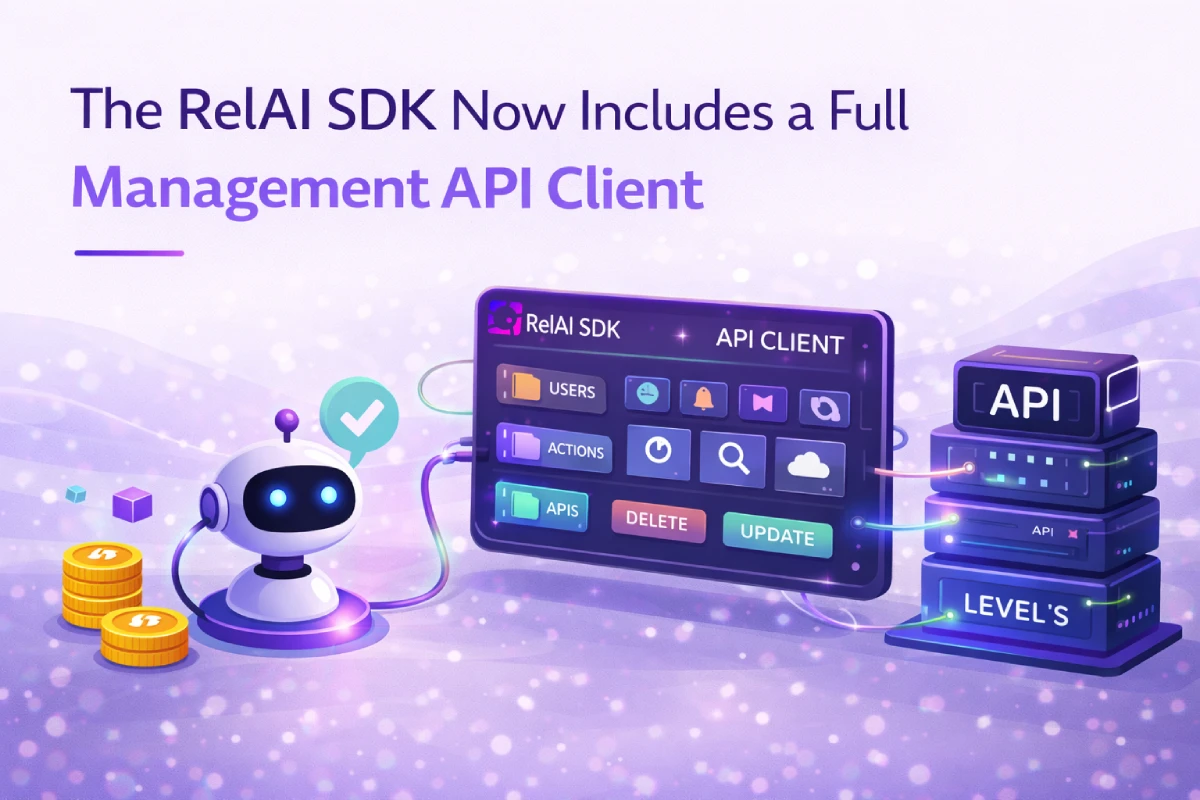
The RelAI Management API has been available as a REST interface since its launch. Starting with @relai-fi/x402 version 0.5.25, it is also available as a first-class TypeScript client — shipped directly in the SDK, with full type definitions, no extra dependencies, and two lines of setup.
What Changed
The SDK now exports a ./management subpath:
import { createManagementClient, bootstrapAgentKeySolana, bootstrapAgentKeyEvm } from '@relai-fi/x402/management';
This client covers the full Management API surface — APIs, pricing, analytics, and agent bootstrap — in a typed interface that works in Node.js, Deno, Bun, and any modern JavaScript runtime.
Creating and Managing APIs
The most common use case is managing your monetised APIs programmatically. With createManagementClient, this takes two lines:
import { createManagementClient } from '@relai-fi/x402/management';

const mgmt = createManagementClient({ serviceKey: process.env.RELAI_SERVICE_KEY! });
From there, the full CRUD surface is available:
// Create a monetised API with initial pricing
const api = await mgmt.createApi({
  name: 'My Inference API',
  baseUrl: 'https://inference.example.com',
  merchantWallet: '0xYourWallet',
  network: 'base',
  endpoints: [
    { path: '/v1/predict', method: 'post', usdPrice: 0.05 },
    { path: '/v1/status',  method: 'get',  usdPrice: 0.001 },
  ],
});

// List all your APIs
const all = await mgmt.listApis();

// Get one
const one = await mgmt.getApi(api.apiId);

// Update metadata
await mgmt.updateApi(api.apiId, { description: 'Updated description', baseUrl: 'https://v2.example.com' });

// Delete
await mgmt.deleteApi(api.apiId);
All methods return typed responses. createApi returns a RelaiApi object. listApis returns RelaiApi[]. TypeScript will tell you exactly what each field contains.
Pricing as Code
Endpoint pricing has always been manageable through the dashboard. Now it is manageable as code — which means it can be version-controlled, deployed alongside your service, and rolled back if needed.
// Replace all endpoint pricing for an API
await mgmt.setPricing(api.apiId, [
  { path: '/v1/predict-fast',  method: 'post', usdPrice: 0.02 },
  { path: '/v1/predict-large', method: 'post', usdPrice: 0.10 },
]);

// Read current pricing
const pricing = await mgmt.getPricing(api.apiId);
setPricing replaces the full endpoint list. To update a single endpoint, read the current pricing first, modify the entry you want, and send the full list back. This keeps the operation explicit and auditable.
A typical CI/CD integration looks like this:
# In your deployment script
node -e "
const { createManagementClient } = require('@relai-fi/x402/management');
const mgmt = createManagementClient({ serviceKey: process.env.RELAI_SERVICE_KEY });
mgmt.setPricing(process.env.API_ID, [
  { path: '/v1/predict', method: 'post', usdPrice: 0.05 }
]);
"
Pricing changes are live immediately after the call returns. No cache to invalidate, no deploy to wait for.
Analytics Without the Dashboard
The analytics surface gives you the same data as the dashboard, available from code:
// Aggregated totals
const stats = await mgmt.getStats(api.apiId);
// { totalRequests: 142, totalRevenue: 7.10, currency: 'USD' }

// Paginated payment history
const payments = await mgmt.getPayments(api.apiId, { limit: 20, from: '2026-01-01' });
// payments.payments — array of individual settled transactions
// payments.nextCursor — pass as cursor: to get the next page

// Usage logs (same format as the dashboard Logs tab)
const logs = await mgmt.getLogs(api.apiId, { limit: 50 });
// logs.items — timestamp, method, path, status, cost, duration, transaction
Pagination works identically across payments and logs: pass the returned nextCursor as cursor in the next call. When nextCursor is null, you have reached the end.
This data can now flow into your own monitoring pipelines, be aggregated across multiple APIs, or be consumed by an agent that adjusts pricing based on usage patterns.
Agent Bootstrap: Provisioning Service Keys Without a Human
The most powerful addition is bootstrapAgentKeySolana and bootstrapAgentKeyEvm.
These functions let an autonomous agent provision its own RelAI service key using a cryptographic keypair — no dashboard visit, no JWT, no human involvement.
The flow is a standard challenge-response: the agent sends its public key, signs the challenge, and receives an sk_live_... key associated with its wallet identity. Run once, store forever.
import { bootstrapAgentKeySolana } from '@relai-fi/x402/management';
import { Keypair } from '@solana/web3.js';

// Load or generate keypair (run once, then store AGENT_PRIVATE_KEY in env)
const keypair = process.env.AGENT_PRIVATE_KEY
  ? Keypair.fromSecretKey(Buffer.from(process.env.AGENT_PRIVATE_KEY, 'base64'))
  : Keypair.generate();

const { key } = await bootstrapAgentKeySolana(keypair, 'my-agent');
// key = "sk_live_..."  — store in env/secrets, never re-run
For EVM agents, the equivalent uses any ethers.js Wallet or Signer:
import { bootstrapAgentKeyEvm } from '@relai-fi/x402/management';
import { ethers } from 'ethers';

const wallet = process.env.AGENT_PRIVATE_KEY
  ? new ethers.Wallet(process.env.AGENT_PRIVATE_KEY)
  : ethers.Wallet.createRandom();

const { key } = await bootstrapAgentKeyEvm(wallet, 'my-evm-agent');
The agent's wallet address becomes its permanent identity on RelAI. Every service key created through bootstrap is tied to that wallet — which means the same agent can re-bootstrap to the same identity on any machine, as long as it controls the same private key.
Combining Payment and Management in One Agent
The real value of having both ./client and ./management in the same SDK is that they compose naturally.
An agent that pays for APIs and an agent that manages its own APIs are no longer two separate systems. They are one:
import { createX402Client } from '@relai-fi/x402/client';
import { createManagementClient, bootstrapAgentKeySolana } from '@relai-fi/x402/management';
import { Keypair } from '@solana/web3.js';

const keypair = Keypair.fromSecretKey(Buffer.from(process.env.AGENT_PRIVATE_KEY!, 'base64'));

// Provision service key once (or load from env if already provisioned)
const serviceKey = process.env.RELAI_SERVICE_KEY
  ?? (await bootstrapAgentKeySolana(keypair, 'my-agent')).key;

// Pay for paid APIs automatically
const client = createX402Client({
  wallets: { solana: agentWallet },
  defaultHeaders: { 'X-Service-Key': serviceKey },
});

// Manage your own APIs
const mgmt = createManagementClient({ serviceKey });

// One agent. Full lifecycle.
const response = await client.fetch('https://api.relai.fi/relay/<apiId>/v1/chat/completions', {
  method: 'POST',
  body: JSON.stringify({ model: 'gpt-4o', messages: [...] }),
});

const myApis = await mgmt.listApis();
const stats  = await mgmt.getStats(myApis[0].apiId);
The agent pays for what it consumes and manages what it exposes — no human in the loop for either.
Why This Belongs in the SDK
The Management API has always been available as a REST interface. Adding a typed client to the SDK is not just a convenience layer.
It changes who can use it.
Teams that already have @relai-fi/x402 installed get the Management API client with a version bump. No new package to evaluate, no new authentication scheme to learn, no separate documentation to read. It is there, it is typed, and it works with the same service key that everything else uses.
For agent developers specifically, having bootstrap, payment, and management in a single import makes the full autonomous lifecycle achievable in a single file. That is the point.
Getting Started
Install or update the SDK:
npm install @relai-fi/x402@latest
The ./management export is available from 0.5.25 onwards. Full API reference is in the Management API documentation.
@relai-fi/x402 is available on npm. Source on GitHub.
Written by the RelAI Team.