
You want to send money privately. You don't want your wallet address exposed. You don't want the amount visible on-chain. You don't want anyone to see who sent the funds or who received them.
Standard payment links reveal too much. The sender's address is visible. The recipient's address is visible. The transaction is public on the blockchain for anyone to see.
There is a better way.
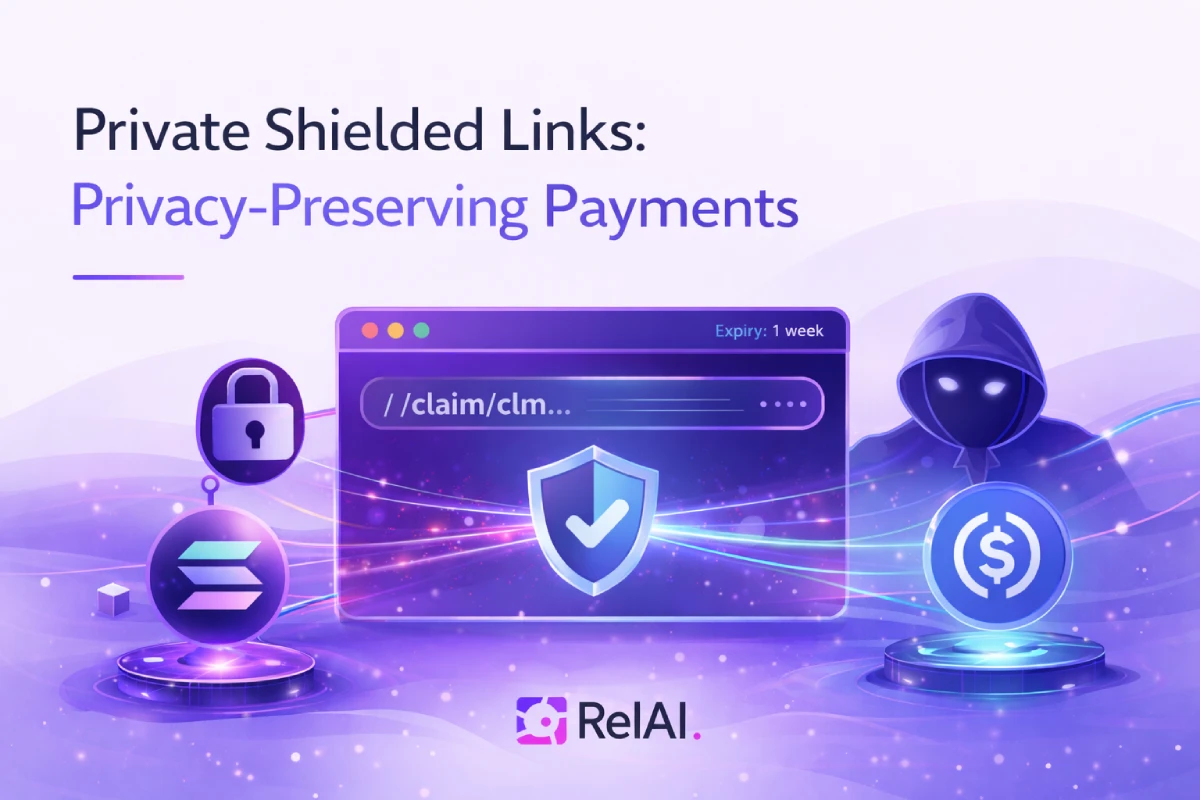
RelAI's private shielded links use zero-knowledge cryptography to hide payment details. The amount is encrypted. The sender's identity is protected. The transaction is private. Only the recipient can claim the funds — and only they can see the details.
What Are Private Shielded Links?
Think of them like digital cash envelopes with zero-knowledge encryption:
- You create a shielded link — set the amount, expiry time, and description
- The link is encrypted — zero-knowledge cryptography hides the payment details
- You share the link — via chat, email, QR code, or any messaging app
- They claim it — when ready, they enter their wallet address and generate a zero-knowledge proof
- Privacy preserved — only the recipient can see the amount and sender details
Why Use Private Shielded Links?
Strong Privacy
Zero-knowledge cryptography hides the payment details. The amount is encrypted. The sender's identity is protected. The on-chain transaction reveals nothing about the payment — it looks like any other shielded pool operation.
Zero-Knowledge Proofs
The recipient generates a cryptographic proof that they have the secret key without revealing it. This proof is verified on-chain, allowing the funds to be claimed without exposing the underlying details.
Confidentiality
Only the recipient with the secret key can reveal the payment details. Even if someone intercepts the link, they cannot claim the funds or see the amount without the secret.
Cross-Network Support
Shielded links are currently supported on base-sepolia, skale-base-sepolia, and solana-devnet. This allows privacy-preserving payments across EVM and Solana testnet networks.
How to Create a Private Shielded Link
Step 1: Go to the Payment Codes Page
Visit relai.fi/codes/create and connect your EVM or Solana wallet.
Step 2: Enable Shielded Link Mode
Select "Shielded link" mode. This enables zero-knowledge cryptography for your payment.
Step 3: Choose Your Settings
- Amount: How much USDC to send (e.g., $5, $10, $50)
- Network: Select base-sepolia, skale-base-sepolia, or solana-devnet
- Expiry: How long the link is valid (1 hour to 1 week)
- Description: Optional note for the recipient (e.g., "Thanks for the help!")
Step 4: Generate the Link
Click "Generate code" and approve the transaction in your wallet. This deposits the funds into the shielded pool and creates an encrypted link.
Step 5: Share the Link
Copy the shielded link and share it however you want — via chat, email, QR code, or even write it down.
The recipient can claim it whenever they're ready.
How to Claim a Private Shielded Link
Step 1: Open the Link
Click the shielded link you received. The amount is hidden — you'll see the network and expiry time, but not the amount or sender details.
Step 2: Enter Your Wallet Address
Enter the wallet address where you want to receive the funds. You can receive on the same network as the link, or a different network — RelAI handles the cross-network transfer.
Step 3: Generate Zero-Knowledge Proof
The browser generates a zero-knowledge proof that you have the secret key. This proof is verified on-chain without revealing the underlying details.
Step 4: Claim the Funds
Click "Claim" and approve the transaction in your wallet. The funds are withdrawn from the shielded pool and sent to your address. The transaction reveals nothing about the payment — it looks like any other shielded pool operation.
What If the Link Expires?
Expired shielded links can be cancelled by the sender. The funds are returned to your wallet automatically.
If you created a shielded link and it wasn't used, you can cancel it from the "Manage codes" page at relai.fi/codes/manage.
Use Cases
Anonymous Service Payments
When paying for a service or product, both parties can remain completely anonymous. The service provider sends a shielded link for payment. The payer claims it without revealing their wallet address. Neither party needs to know the other's wallet — perfect for privacy-sensitive transactions.
Private Payments
Send money to someone without revealing your wallet address. The recipient receives the funds privately, and the on-chain transaction reveals nothing about the payment.
Confidential Gifting
Send a digital gift with privacy. The recipient can claim it whenever they want, and the amount remains hidden until claimed.
Anonymous Tipping
Tip someone for great content without revealing either party's wallet address. The shielded link protects both sender and recipient privacy.
Private Transfers
Transfer funds between wallets without exposing the transaction details on-chain. Perfect for privacy-conscious users.
Managing Your Shielded Links
Visit relai.fi/codes/manage to:
- See all your active and expired shielded links
- Cancel unused links and get a refund
- Copy links to share again
- View transaction history
Supported Networks
Shielded private links are currently supported on base-sepolia, skale-base-sepolia, and solana-devnet. These testnet networks allow privacy-preserving payments using zero-knowledge cryptography across both EVM and Solana ecosystems.
Shielded links use zero-knowledge cryptography for privacy-preserving payments across supported networks.
Security
Shielded links are secured by zero-knowledge cryptography and blockchain smart contracts:
- Zero-knowledge proofs: The recipient proves they have the secret key without revealing it
- Shielded pool: Funds are held in a privacy-preserving smart contract
- Encrypted links: The payment details are encrypted and can only be revealed by the recipient
- Cancel anytime: The sender can cancel unclaimed links and recover the funds
Getting Started
Ready to try private shielded links?
- Go to
relai.fi/codes/create - Connect your EVM or Solana wallet
- Enable "Shielded link" mode
- Create your first shielded link
- Share it however you want
Start at relai.fi/codes/create or read the full shielded links documentation.
Written by the RelAI Team.