
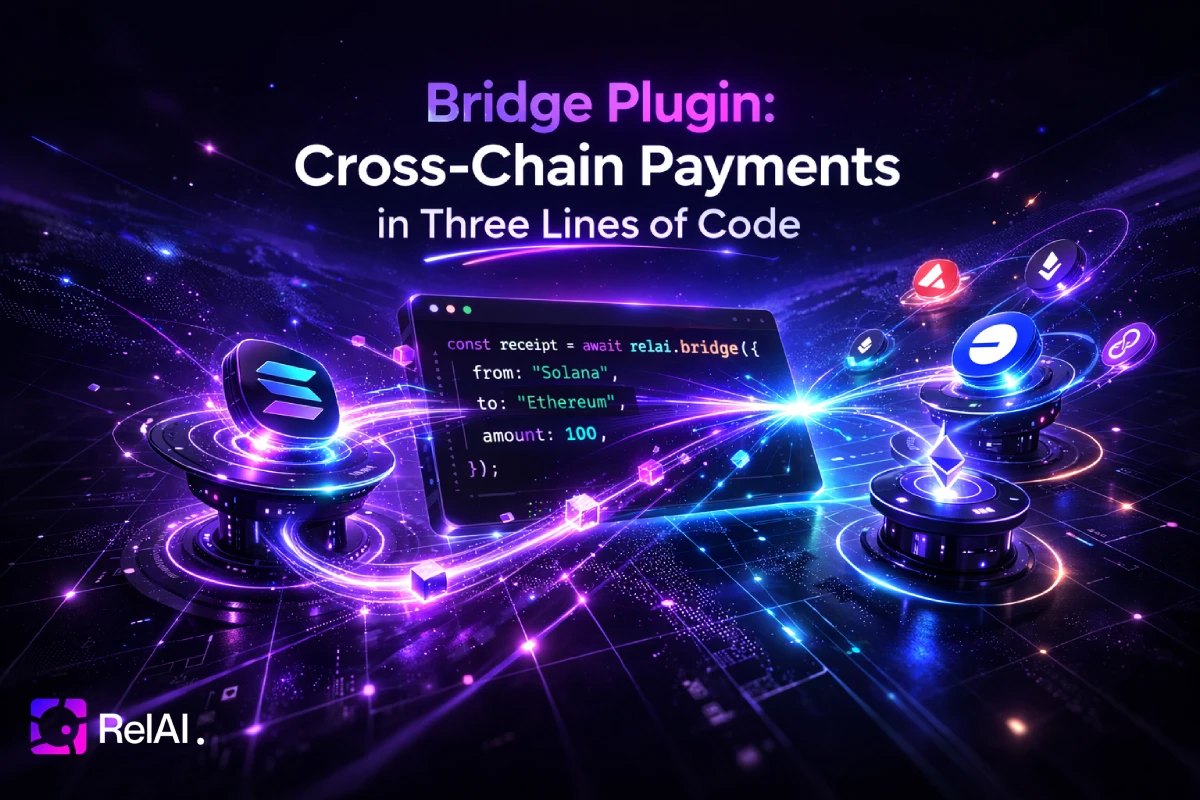
Your API is live on SKALE. A buyer has USDC on Solana. Without the bridge plugin, that buyer can't pay you. They'd have to manually bridge funds, find the right DEX, switch networks, and try again. Most won't bother.
The bridge() plugin makes this invisible. The buyer pays from whatever chain their wallet is on. The SDK handles everything else.
The Problem
x402 APIs declare which network they accept payment on. If your endpoint is on Base, buyers need USDC on Base. If it's on SKALE, they need USDC on SKALE. Every additional chain you don't support is a buyer you lose.
Cross-chain bridging exists, but asking users to:
- Find a bridge UI
- Approve tokens, wait for confirmations
- Switch MetaMask to the right network
- Come back and retry
Three Lines of Code
import Relai from '@relai-fi/x402/server'
import { bridge } from '@relai-fi/x402/plugins'

const relai = new Relai({
  network: 'skale-bite',
  plugins: [
    bridge({
      serviceKey: process.env.RELAI_SERVICE_KEY, // optional — enables dashboard stats
    }),
  ],
})

app.get('/api/data', relai.protect({
  payTo: '0xYourWallet',
  price: 0.05,
}), (req, res) => {
  res.json({ data: 'premium content' })
})
That's it. Buyers on Solana, Base, or any other supported chain can now pay for your SKALE endpoint. No bridge UI, no manual swaps.
How It Works
1. Plugin discovers bridge capabilities
On startup, bridge() calls the RelAI backend's /bridge/info endpoint and learns:
- Which source chains are available (Solana, Base, Avalanche, ...)
- Bridge wallet addresses for each chain
- Fee structure and limits
2. 402 response includes bridge info
When a buyer hits your endpoint without payment, the SDK returns the standard 402 Payment Required — but the bridge plugin enriches it with an extensions.bridge field:
{
  "accepts": [
    { "network": "eip155:2072352084", "asset": "0x...", "amount": "50000" }
  ],
  "extensions": {
    "bridge": {
      "info": {
        "settleEndpoint": "https://api.relai.fi/bridge/settle",
        "supportedSourceChains": ["solana:5eykt4...", "eip155:8453"],
        "payTo": "bridge-wallet-address",
        "feePayerSvm": "solana-fee-payer",
        "feeBps": 100
      }
    }
  }
}
3. Client SDK detects the mismatch
The buyer's wallet is on Solana. The API accepts SKALE BITE. The client SDK sees the mismatch, checks extensions.bridge, and finds that Solana is a supported source chain.
4. Payment routes through the bridge automatically
Buyer's Solana wallet
  → signs USDC transfer to bridge wallet on Solana
  → SDK sends to /bridge/settle
  → Bridge settles on Solana, pays out on SKALE BITE to merchant
  → SDK receives bridge proof (X-PAYMENT token)
  → SDK retries the API call with the proof
  → 200 OK
The buyer signs one transaction on their chain. They never switch networks, never visit a bridge UI, never wait for manual confirmations.
5. Server trusts the bridge proof
When the server receives an X-PAYMENT header with bridged: true, it knows the bridge has already settled the payment on the target chain. It verifies the proof and lets the request through — no redundant facilitator call.
What the Buyer Sees
Nothing special. They click "Pay", sign a transaction on their chain, and get the API response. The bridge is completely invisible.
If you're building a frontend, the SDK's createX402Client handles everything:
import { createX402Client } from '@relai-fi/x402'

const client = createX402Client({
  wallets: { solana: { publicKey, signTransaction } },
  preferredNetwork: 'solana',
  facilitatorUrl: 'https://facilitator.payai.network',
})

// This just works — even if the API is on SKALE
const response = await client.fetch('https://api.example.com/data')
const data = await response.json()
Configuration
The plugin auto-discovers everything from the RelAI backend. Pass your serviceKey to enable per-key bridge analytics in the dashboard:
bridge({
  serviceKey: process.env.RELAI_SERVICE_KEY, // optional — tracks usage per key in dashboard
  baseUrl: 'https://api.relai.fi',           // Backend URL (default: auto)
  settleEndpoint: '/bridge/settle',          // Custom settle path
  feeBps: 100,                               // Fee override (1% default)
})
Without a serviceKey, the bridge still works — you just won't see per-key stats in the dashboard.
Supported Chains
The bridge currently supports:
| Chain | Direction | Token |
|---|---|---|
| Solana | Source & Target | USDC |
| Base | Source & Target | USDC |
| SKALE Base | Source & Target | USDC |
/bridge/info. No SDK update needed.
Fees
The bridge charges a configurable fee (default: 1% / 100 bps). For a $0.05 API call:
- Buyer pays: $0.0505 on source chain
- Merchant receives: $0.05 on target chain
- Bridge fee: $0.0005
price.
Combining With Other Plugins
Bridge works alongside other plugins. A common setup:
const relai = new Relai({
  network: 'skale-bite',
  plugins: [
    freeTier({
      serviceKey: process.env.RELAI_SERVICE_KEY!,
      perBuyerLimit: 5,
      resetPeriod: 'daily',
    }),
    bridge({
      serviceKey: process.env.RELAI_SERVICE_KEY!,
    }),
  ],
})
Free tier runs first. If the buyer has free calls left, they get through without payment. If not, the 402 response includes bridge info so they can pay from any chain.
The Plugin Hook: enrich402Response
The bridge plugin uses a new SDK hook — enrich402Response — that lets any plugin modify the 402 response before it's sent to the client. This is the same hook you can use in custom plugins to attach metadata, alternative payment options, or any other extensions to the payment required response.
const myPlugin: RelaiPlugin = {
  name: 'my-plugin',
  enrich402Response(response, ctx) {
    response.extensions = response.extensions || {}
    response.extensions.myData = { custom: 'info' }
    return response
  },
}
Get Started
- Install
@relai-fi/x402@0.5.39or later - Add
bridge()to your plugins array - Deploy — buyers on any supported chain can now pay your API
Read the full documentation at relai.fi/documentation/bridge-plugin.
Written by the RelAI Team.