
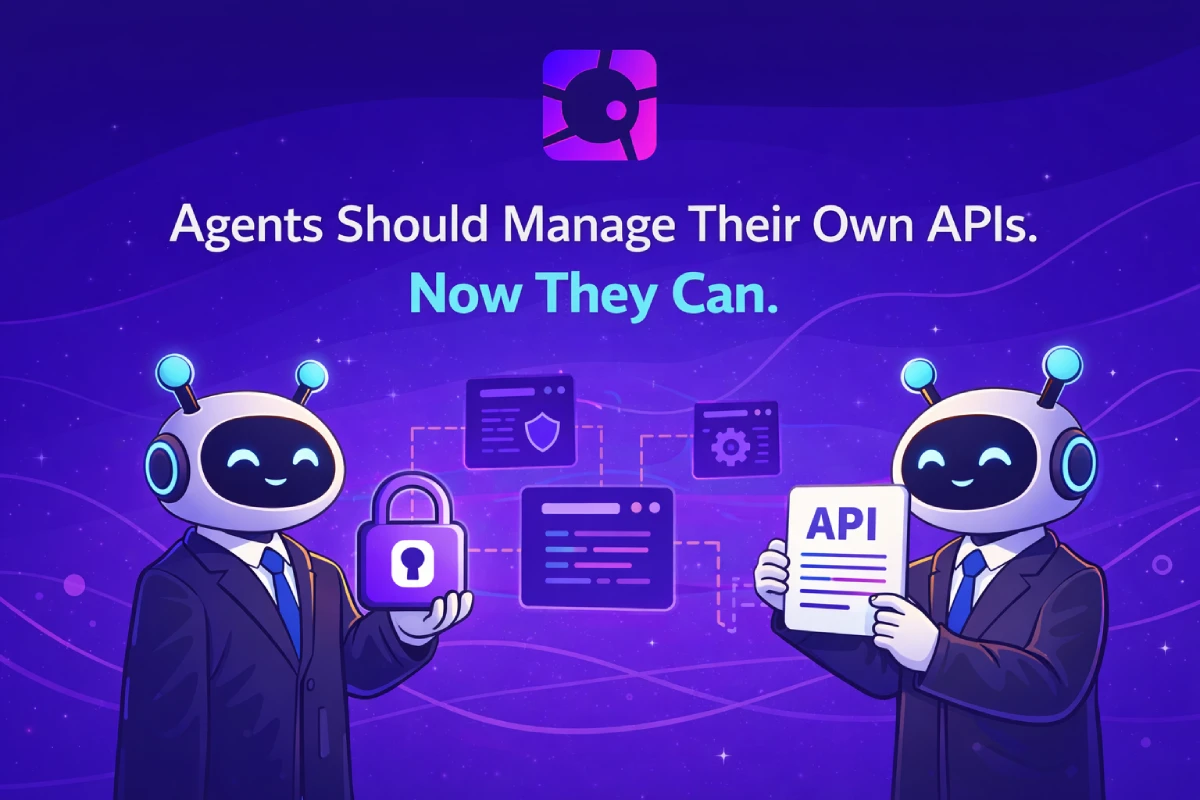
There is a pattern that repeats itself every time someone builds an AI agent that interacts with paid APIs.
First, the human sets up accounts. Then, the human generates API keys. Then, the human configures those keys in the agent's environment. Then, when something expires or rotates, the human has to do it again.
The agent is supposed to be autonomous. But its infrastructure isn't.
Today, that changes.
RelAI is launching the Management API v1 — a full REST and MCP interface for creating, configuring, and managing x402-monetised APIs programmatically. And with it, a new mechanism that lets agents provision their own service keys, without any human involvement at all.
The Problem: Agents Are Smart. Their Setup Isn't.
Modern AI agents can reason across complex tasks, chain tool calls, and make decisions that would take a human analyst hours to replicate.
But their operational bootstrap still looks like 2015 SaaS onboarding.
Someone has to log in. Someone has to click "Create API Key." Someone has to copy a string from a webpage and paste it into a .env file. Someone has to remember to rotate it before it expires.
This is not a minor inconvenience. It is a structural bottleneck that limits how autonomous these systems can actually be in production.
There are three layers to this problem:
1. Provisioning. Before an agent can do anything useful, a human has to set up credentials for it. In multi-tenant systems or deployments at scale, this quickly becomes untenable. 2. Management. Once an agent is running, the APIs it exposes or consumes need to be updated, repriced, or retired. Today, that means going back to a dashboard. 3. Recovery. When credentials expire or something breaks, the agent stops. Getting it back online requires human intervention.The Management API solves all three.
What the Management API Does
At its core, the Management API is a REST interface that exposes the same capabilities as the RelAI dashboard — but as HTTP endpoints that machines can call.
Every operation available through the UI is now available programmatically:
- Create, list, update, and delete APIs
- Set and update per-endpoint pricing (path, method, USD price)
- Retrieve revenue stats and usage logs
- Manage service keys (create, list, revoke)
https://api.relai.fi. All API management endpoints use X-Service-Key for authentication. Service key management endpoints use a Bearer JWT.
A typical workflow looks like this:
Create an API:
curl -X POST https://api.relai.fi/v1/apis \
  -H "X-Service-Key: sk_live_..." \
  -H "Content-Type: application/json" \
  -d '{
    "name": "My Inference API",
    "baseUrl": "https://inference.example.com",
    "network": "base",
    "merchantWallet": "0xYourWallet",
    "endpoints": [
      { "path": "/v1/predict", "method": "post", "usdPrice": 0.05 }
    ]
  }'
Check revenue:
curl https://api.relai.fi/v1/apis/{apiId}/stats \
  -H "X-Service-Key: sk_live_..."
That's the REST surface. But the more interesting part is what sits underneath it.
The MCP Layer: Agents as First-Class Operators
Every endpoint in the Management API is also exposed as an MCP tool at POST /mcp/management.
MCP — Model Context Protocol — is the standard interface for connecting AI agents to external capabilities. When an agent has an MCP server configured, it can call those tools directly from its reasoning loop.
For RelAI, this means an agent can do things like:
- "List all my APIs and find the ones with zero revenue this month"
- "Create a new API endpoint for the image resizer service, charge $0.02 per call on Solana"
- "Update the pricing on /v1/predict to $0.08 and disable /v1/batch"
- "Show me the last 50 payment transactions for API 1751234567890"
Setting up Claude Desktop to use it takes thirty seconds:
{
  "mcpServers": {
    "relai-management": {
      "url": "https://api.relai.fi/mcp/management",
      "headers": {
        "X-Service-Key": "sk_live_..."
      }
    }
  }
}
The same config works in Cursor, Windsurf, and any other MCP-compatible client.
Available tools include create_api, list_apis, get_api, update_api, delete_api, set_pricing, get_pricing, get_stats, and get_logs. The full tool list is in the documentation.
The Hard Part: Where Does the First Key Come From?
The Management API solves ongoing operations. But there is still a bootstrapping problem.
To call the Management API, an agent needs a service key. To get a service key, someone needs to authenticate as a user. Which brings us back to the same bottleneck: a human has to be involved in the first step.
Unless the agent can authenticate as itself.
This is the insight behind the agent bootstrap mechanism.
Agent Bootstrap: Zero Human Involvement
The agent bootstrap endpoint at POST /mcp/management/bootstrap/agent lets an agent provision its own service key using a cryptographic keypair — with no human JWT, no dashboard visit, and no manual credential setup.
The flow uses a standard challenge-response pattern that will be familiar to anyone who has worked with wallet authentication:
Step 1 — The agent sends its public key. The server returns a signed challenge message unique to that public key with a 5-minute expiry. Step 2 — The agent signs the challenge with its private key and sends the signature back. The server verifies the signature, creates a service key associated with that wallet identity, and returns it.That's the entire flow. The agent runs it once on first start, stores the returned key securely, and uses it for all future calls.
It supports both Solana keypairs (ed25519) and EVM wallets (secp256k1) — the server tries both automatically.
Here is what autonomous bootstrap looks like in Python, using a Solana keypair:
from solders.keypair import Keypair
import base58, requests, os

BASE = "https://api.relai.fi/mcp/management/bootstrap/agent"
Load or generate keypair:
try:
    kp = Keypair.from_bytes(bytes.fromhex(os.environ["AGENT_PRIVKEY"]))
except KeyError:
    kp = Keypair()
    print(f"New agent key — save this: {kp.secret().hex()}")
Step 1 — request challenge:
msg = requests.post(BASE, json={"publicKey": str(kp.pubkey())}).json()["message"]
Step 2 — sign and get service key:
sig = base58.b58encode(bytes(kp.sign_message(msg.encode()))).decode()
result = requests.post(BASE, json={
    "publicKey": str(kp.pubkey()),
    "signature": sig,
    "message": msg,
    "label": "my-agent",
}).json()

service_key = result["key"]  # sk_live_... store in env or secrets manager
And the equivalent in TypeScript, using an EVM wallet:
import { ethers } from "ethers";
import fs from "fs";

const BASE = "https://api.relai.fi/mcp/management/bootstrap/agent";

// Load or generate wallet
const wallet = process.env.AGENT_PRIVKEY
  ? new ethers.Wallet(process.env.AGENT_PRIVKEY)
  : ethers.Wallet.createRandom();

// Step 1 — request challenge
const { message } = await fetch(BASE, {
  method: "POST",
  headers: { "Content-Type": "application/json" },
  body: JSON.stringify({ publicKey: wallet.address }),
}).then(r => r.json());

// Step 2 — sign and get service key
const signature = await wallet.signMessage(message);
const { key } = await fetch(BASE, {
  method: "POST",
  headers: { "Content-Type": "application/json" },
  body: JSON.stringify({ publicKey: wallet.address, signature, message, label: "my-agent" }),
}).then(r => r.json());

// key = "sk_live_..."
// Store it in env or secrets manager
The agent's wallet address becomes its permanent identity on RelAI. Every service key created through bootstrap is tied to that wallet. This means the same agent, running on different machines or recovering from a restart, can always re-bootstrap to the same identity — as long as it controls the same private key.
Why This Matters: The Security Model
A reasonable question: if an agent can bootstrap itself without any human approval, what prevents abuse?
The answer is the same mechanism that secures all wallet-based authentication: private key control.
The server only issues a service key to a wallet that can prove possession of the corresponding private key. No signature, no key. The challenge is single-use with a 5-minute expiry. The nonce prevents replay attacks.
This is meaningfully more secure than many existing API key flows. When a human copies a key from a dashboard and pastes it into an environment variable, that key can be leaked in logs, committed to version control, or visible to anyone with access to the deployment environment. The process of getting the key is a manual, error-prone step.
With agent bootstrap, the private key never leaves the agent's environment. The service key is provisioned programmatically and stored in the same secure secrets management layer the agent uses for everything else. The human never handles credentials at all.
The wallet identity also gives you an audit trail. Every service key in the system is associated with a wallet address. You can see which agent created which key, when, and what it has done with it.
The Bigger Picture: What Fully Autonomous Agents Actually Need
We talk a lot about AI agents being autonomous. Usually we mean that they can reason and plan without explicit instructions for each step.
But operational autonomy is different. Can the agent handle its own credential lifecycle? Can it create the infrastructure it needs? Can it monitor its own performance and adjust?
Until now, the answer has been: mostly, but not at the start, and not without a human holding things together at key moments.
The Management API + agent bootstrap removes those dependencies.
An agent can now:
- Generate its own keypair on first run
- Bootstrap a service key autonomously using wallet authentication
- Create the APIs it wants to expose via
create_api - Set per-endpoint pricing via
set_pricing - Monitor revenue and usage via
get_statsandget_logs - Adjust pricing or disable endpoints based on usage patterns
- Revoke and re-provision its own service keys if needed
This is not a marginal improvement. It is a different architectural assumption.
For API Providers: Automating Your Deployment Pipeline
The Management API is not only useful for agents managing themselves. It is equally valuable for teams building CI/CD workflows around their API infrastructure.
Consider a typical deployment cycle for an API that charges per endpoint:
- New version deploys to staging
- Team validates functionality
- New version deploys to production
- Someone manually updates pricing, re-configures endpoints, adjusts network settings
Deploy service:
kubectl apply -f deployment.yaml
Update API configuration:
curl -X PATCH "https://api.relai.fi/v1/apis/$API_ID" \
  -H "X-Service-Key: $RELAI_SERVICE_KEY" \
  -H "Content-Type: application/json" \
  -d "{ \"baseUrl\": \"$NEW_SERVICE_URL\" }"
Update pricing for new model tier:
curl -X PUT "https://api.relai.fi/v1/apis/$API_ID/pricing" \
  -H "X-Service-Key: $RELAI_SERVICE_KEY" \
  -H "Content-Type: application/json" \
  -d '{
    "endpoints": [
      { "path": "/v1/predict-fast",  "method": "post", "usdPrice": 0.02 },
      { "path": "/v1/predict-large", "method": "post", "usdPrice": 0.10 }
    ]
  }'
The pricing layer of your API is now version-controlled. Rollbacks can include pricing rollbacks. Staging environments can have separate pricing configurations managed as code.
Analytics Without the Dashboard
One of the quieter improvements in the Management API is the analytics surface.
The GET /v1/apis/:apiId/stats endpoint returns aggregated revenue and request counts. The GET /v1/apis/:apiId/payments endpoint returns the full paginated payment history. The GET /v1/apis/:apiId/logs endpoint returns usage logs in the same format as the dashboard.
This data has always been visible in the UI. Now it is available via API, which means it can be:
- Pulled into your own analytics pipeline
- Aggregated across multiple APIs in a single dashboard
- Monitored by an agent that adjusts pricing based on usage trends
- Used in automated alerting when revenue drops or anomalies appear
get_stats and get_logs — let an agent check its own performance in real time, without any human looking at a screen.
Getting Started
Everything needed to use the Management API is in the documentation.
For teams that prefer to explore through requests, a full Postman collection is available in the GitHub repository — it includes the bootstrap flow, all CRUD endpoints, analytics calls, and MCP tool examples, with automated tests and variable chaining so service keys and API IDs propagate through requests automatically.
For agent developers, the fastest path is:
- Generate a keypair (Solana or EVM)
- Call
POST /mcp/management/bootstrap/agentwith the two-step flow above - Store the returned
sk_live_...key securely - Start calling the REST API or configure the MCP server in your agent's tool config
- Log in to relai.fi to get your user JWT
- Call
POST /v1/keyswith your JWT to create a service key - Use that key for all subsequent API and pricing management
How Agents Find RelAI
An agent that encounters RelAI for the first time — through a web search, a link, or a crawl — can bootstrap itself without any human documentation.
RelAI exposes four machine-readable discovery endpoints:
| URL | Format | What it contains |
|---|---|---|
/.well-known/ai-plugin.json | JSON | OpenAI plugin manifest — discovered by ChatGPT, LangChain, AutoGPT |
/.well-known/agent.json | JSON | Agent Protocol manifest — MCP endpoint, capabilities, auth info |
/llms.txt | Plain text | Full guide: bootstrap flow, MCP config, all API endpoints |
/openapi.json | OpenAPI 3.1 | Full Management API spec — importable into any agent framework |
relai.fi will find /.well-known/ will find the plugin and agent manifests. An agent with OpenAPI tooling can import /openapi.json directly.
The /llms.txt file is the most useful entry point. It contains everything an agent needs to get started: the two-step bootstrap flow, the MCP server URL, the key endpoints, and working code examples — in plain text, optimised for LLM context windows.
The goal is zero friction. An autonomous agent should be able to discover RelAI, bootstrap its own credentials, and start managing APIs — entirely without human involvement.
What Comes Next
The Management API v1 is the foundation. What it enables goes further.
When agents can manage their own infrastructure, the unit of autonomous behaviour expands. An agent is no longer just a reasoning loop — it is a full operational entity that can create services, set prices, monitor revenue, and adapt its own capabilities over time.
That is the trajectory we are building toward. Not agents that use tools. Agents that own infrastructure.
The Management API is one piece of that. The agent bootstrap is another. The MCP tools that let agents monitor and adjust in real time are a third.
The infrastructure for fully autonomous API operators is here.
Explore the Management API documentation. Try the agent bootstrap flow. Build on relai.fi.