
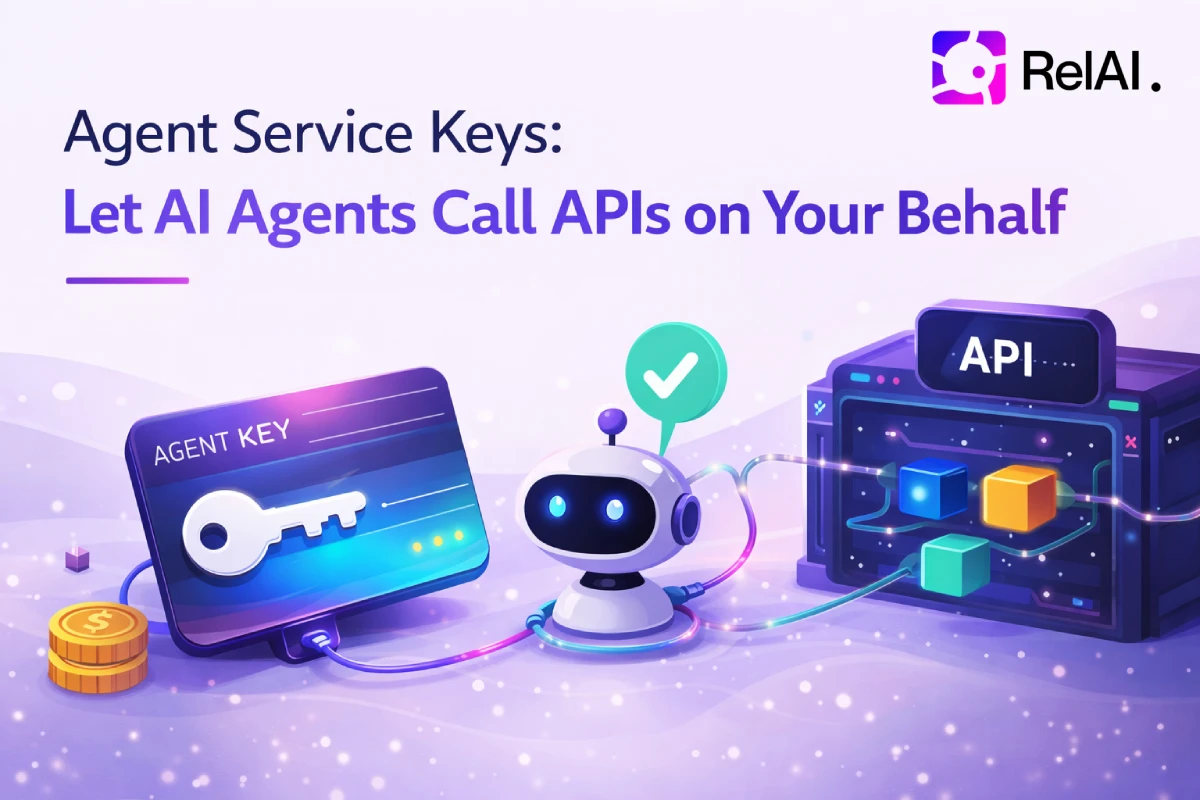
AI agents shouldn't need wallets to call APIs. With Agent Service Keys, any on-chain agent can call x402-protected APIs automatically — billed to your RelAI Metered account. The agent only needs a single API key. No crypto, no wallets, no x402 in the agent's code.
The Problem
x402 is the right payment layer for APIs. But autonomous agents — trading bots, AI assistants, MCP servers — shouldn't have to manage crypto wallets or sign payment transactions. They should just make HTTP calls.
Until now, there was no clean way to delegate API access to an agent without handing it your full credentials.
How Agent Service Keys Work
Agent Service Keys let you link any ERC-721 agent NFT to your RelAI account and issue a scoped service key. The agent uses that key on every request — RelAI verifies ownership and bills your Metered account automatically.
Step 1 — Prove You Own the Agent
RelAI generates a challenge message. You sign it with the wallet that owns the agent NFT. The backend verifies the signature and confirms on-chain that you actually own that agent NFT. No gas required.
RelAI backend → challenge nonce
Your wallet  → signs message
RelAI verifies: signature matches + NFT ownership confirmed on-chain
Step 2 — Get the Service Key
Once ownership is confirmed, RelAI issues an sk-agent-... key tied to your account and the agent's contract address + token ID.
Step 3 — Agent Calls APIs with Two Headers
X-Service-Key: sk-agent-<your-key>
X-Agent-ID: 1
That's it. RelAI identifies the agent, finds your Metered account, and pays the x402 fee on behalf of the agent automatically.
Linking Any On-Chain Agent
When you link an agent, you provide the NFT contract details so RelAI can verify you own it. That's a one-time setup step — after that, blockchain is completely out of the picture.
- Contract address — the ERC-721 contract holding the agent NFT
- Token ID — the agent's token ID
- Network —
skale-base,ethereum,base,polygon,avalanche, or a custom RPC URL
X-Service-Key and X-Agent-ID.
Calling APIs as an Agent
An agent with a service key calls APIs through the Metered endpoint — RelAI handles the x402 payment automatically from your custodial wallet balance.
Metered relay shortcut — call any RelAI API
curl https://relai.fi/metered/1234567890/api/endpoint \
  -H "X-Service-Key: sk-agent-..." \
  -H "X-Agent-ID: 1"
RelAI intercepts the request, detects a pending x402 payment, pays it from your Metered wallet, and returns the API response. The agent sees only the result.
Metered proxy — call any external API
curl "https://relai.fi/metered/x?url=https://api.openai.com/v1/chat/completions" \
  -X POST \
  -H "X-Service-Key: sk-agent-..." \
  -H "X-Agent-ID: 1" \
  -H "Content-Type: application/json" \
  -d '{"model":"gpt-4o","messages":[{"role":"user","content":"hello"}]}'
OAuth-style Consent Flow
For autonomous agents that can't open a browser, RelAI also supports a programmatic consent flow — similar to OAuth device authorization.
How it works
1. Agent initiates the flowThe agent calls /agent-keys/consent/initiate with its public key and identity:
curl -X POST https://relai.fi/agent-keys/consent/initiate \
  -H "Content-Type: application/json" \
  -d '{
    "agentPubKey": "0xABC...",
    "agentId": "1",
    "contractAddress": "0x8004...",
    "network": "skale-base",
    "agentName": "My Trading Bot",
    "label": "Trading Bot"
  }'
Response:
{
  "consentToken": "4f119402c96d15a08e3f27775aef0898",
  "authorizeUrl": "https://relai.fi/authorize?token=4f119402...",
  "expiresAt": "2026-03-06T14:00:00Z"
}
The agent displays authorizeUrl (or sends it to the user). The user opens the link, logs in to RelAI, and clicks Allow. No wallet signing required.
curl https://relai.fi/agent-keys/consent/status/4f119402...
{ "status": "approved", "retrieveNonce": "abc123..." }
The agent signs the retrieveNonce with its private key to prove it controls the keypair declared at initiation:
const sig = await wallet.signMessage(status.retrieveNonce);
const { key } = await fetch('/agent-keys/consent/retrieve', {
  method: 'POST',
  body: JSON.stringify({ consentToken, signature: sig })
}).then(r => r.json());
// key = 'sk-agent-...'
The key is only delivered once to the agent that holds the matching private key — the consent token alone is not enough.
Link expiry and reuse
Authorization links expire after 15 minutes and can only be used once. If the link has expired or the key has already been retrieved, the /authorize page shows a clear status so the user knows what happened.
Security Model
- Ownership verified on-chain — you can't link an agent you don't own
- Scoped key — the
sk-agent-...key only works with the specificX-Agent-IDit was issued for - Keypair challenge — in the OAuth flow, the key is only delivered to the agent that holds the matching private key
- Revocable — one click in the dashboard removes the key permanently (with a confirmation prompt)
- No wallet exposure — the agent never sees your private key or your RelAI JWT token
- Payments enforced — agents must go through the Metered endpoint; direct relay access still requires x402 payment
Linking an Agent from the Dashboard
Go to Dashboard → Agent Keys → Link Agent.
Enter the contract address, token ID, and network. Click Connect Wallet — MetaMask prompts you to connect. Then click Sign & Link Agent — MetaMask shows the challenge message to sign (no gas). The key is issued immediately.
Dashboard → Agent Keys → Link Agent
  ↓ enter contract + tokenId + network
  ↓ Connect Wallet (MetaMask)
  ↓ Sign message (no gas)
  → sk-agent-... key issued
To revoke a key, click the trash icon next to it in the dashboard — a confirmation dialog will appear before the key is permanently deleted.
What's Next
Agent feedback is already flowing to the on-chain ERC-8004 registry after every Metered call — so the reputation loop closes automatically for every delegated agent request.
Agent Service Keys are available now on relai.fi. Requires a RelAI account and an ERC-721 agent NFT on any supported EVM network.